How to know the number of blog subscribers with Feedburner?
How to know the feed count of blog?
How to obtain feed count with Feedburner?
If you don't have a Feedburner account yet, register now. It gives you better management on your Blogger feeds.
Proceed to How To Replace Blogger Feed with Google Feedburner first.
1) Log in to your Feedbuner account.
2) Select your feed and click on "Publicize" tab above.

3) Then, click on "Feed Count" under the Services.
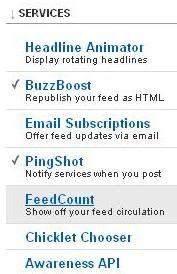
4) Select your preferred feed settings.
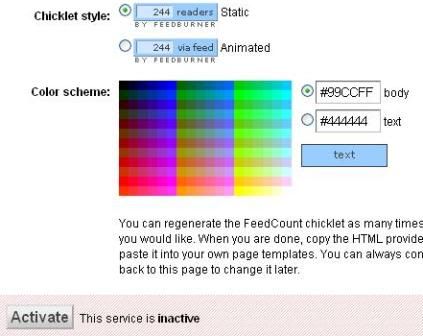
5) Click "Activate" button after configuring the feed settings.
6) HTML is generated later on.
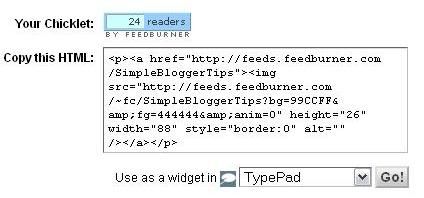
7) Copy and paste the code and put it in your blog.
Sample: Simple Blogger Tips' Feed Count:
It will update automatically as you get more subscribers.
The count can be increased when people follow your blog, link your blog with Blogger's Blog List and subscribe to a reader.
Enjoy!


3 comments:
thanks for sharing..
but how about the show how many view on each blog post?
did u "teach" before?
@dolly: didn't "teach" yet, will bear in mind. thank you. =)
@Purple Froggie Clay:
Please check on the blog's feed, whether it's still the same as what you've entered in Feedburner or not. Other than that, the feed count may be inconsistent at times. Check back a day later instead of an hour.
Post a Comment